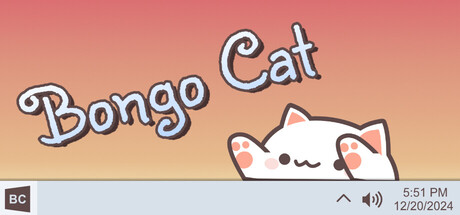
Bongo the Cat Community Guide - Connect with Fans Worldwide
Last Updated: January 15, 2025
Community Size: 11,000+ active players
Platforms: Discord, Reddit, Twitter, Steam
Introduction
One of the best parts of Bongo the Cat is its incredible community! With over 11,000 concurrent players and thousands of active members on various platforms, you’ll find a welcoming group of cat-loving, creative people ready to share tips, creations, and laughs.
This guide shows you how to connect, participate, and make the most of the Bongo Cat community!
Official Discord Server
Joining the Discord
Official Server Link: Join Discord
How to Join:
- Click the Discord invite link above
- Create a Discord account (if you don’t have one)
- Accept the server invite
- Read the #rules channel
- React to the welcome message to unlock all channels
- Introduce yourself in #introductions!
Server Channels Overview
General Channels:
- 📢 #announcements - Official updates, patch notes, events
- 💬 #general-chat - Casual conversation
- 👋 #introductions - Say hello to the community
- ❓ #questions - Get help from other members
Content Sharing:
- 🎨 #custom-skins - Share and download custom cat designs
- 🔊 #sound-packs - Custom audio packs
- 📸 #showcase - Show off your setup and screenshots
- 🎥 #videos - Share Bongo Cat videos and clips
- 💻 #desktop-setups - Full desktop aesthetic showcases
Support & Help:
- 🛠️ #tech-support - Troubleshooting help
- 📚 #tutorials - Community guides and how-tos
- 🐛 #bug-reports - Report issues to developers
Events & Activities:
- 🎪 #events - Community events, contests, challenges
- 🏆 #contests - Skin design competitions, giveaways
- 🗳️ #polls - Community votes on features
Voice Channels:
- 🎤 Voice Chat - Hang out while typing with Bongo Cat
- 🎮 Gaming - Play games together
- 🎨 Creation Session - Work on skins/sounds together
Discord Server Rules
Be respectful:
- No harassment, hate speech, or bullying
- Respect everyone’s creations
- Keep conversations friendly
Stay on-topic:
- Use appropriate channels
- No spam or self-promotion without permission
- Keep NSFW content out
Give credit:
- Credit artists when sharing their work
- Don’t claim others’ creations as your own
- Share links to original sources
Getting Verified Creator Role
Make amazing content? Get recognized!
Requirements:
- Created 5+ high-quality skins OR
- 3+ popular sound packs OR
- Regular helpful community member
How to Apply:
- DM a moderator with your portfolio
- Links to your Workshop items
- Moderators review within 1-week
- If approved, get Verified Creator role!
Benefits:
- Special colored name
- Access to #verified-creators channel
- Featured in showcase channels
- Beta test new features first
Steam Community
Bongo Cat Steam Hub
Steam Community Features:
Workshop:
- Upload and download custom content
- Subscribe to thousands of skins/sounds
- Comment and rate submissions
- Create curated collections
Discussions:
- General discussion forum
- Get help from community
- Share tips and tricks
- Report bugs
Screenshots:
- Share your favorite Bongo Cat moments
- View others’ creative screenshots
- Comment and like
Reviews:
- Leave a review to help others discover Bongo Cat
- Read what others love about it
- Rate your experience
How to Be Active on Steam
Post Screenshots:
- Launch Bongo Cat
- Press F12 (Steam screenshot key)
- Library → Bongo Cat → Screenshots
- Click “Upload” to share with community
Write a Review:
- Visit Bongo Cat store page
- Scroll to reviews section
- Click “Write a Review”
- Share your honest experience!
- Recommend to others
Participate in Discussions:
- Browse existing threads
- Answer questions from new players
- Share your customizations
- Be helpful and friendly
Social Media Communities
Twitter/X
Follow Developer: @irox_games
What to Find:
- Development updates
- Sneak peeks of new features
- Community highlights
- Retweets of fan content
Hashtags to Use:
- #BongoCat
- #BongoTheCat
- #DesktopPet
- #GamingSetup
How to Get Featured:
- Post your custom Bongo Cat setup
- Tag @irox_games
- Use #BongoCat hashtag
- High-quality content gets retweeted!
Subreddit: r/BongoCat (if exists)
Content Types:
- Skin showcases
- Memes and humor
- Troubleshooting help
- Discussion threads
- Fan art
Popular Post Ideas:
- “My Bongo Cat setup tour”
- “I made this custom skin”
- “Bongo Cat helped me through tough times”
- “Tips for new users”
YouTube
Popular Content Types:
- Setup tutorials
- Skin creation time-lapses
- “10 Best Skins for Bongo Cat”
- Desktop aesthetic videos
- Reviews and first impressions
Channels to Follow:
- Search “Bongo Cat” on YouTube
- Subscribe to tutorial creators
- Comment and engage
Create Your Own:
- Share your customization process
- Make guide videos
- Tag #BongoCat in description
- Share in Discord #videos channel
Community Events
Regular Events
Monthly Skin Contest:
- Theme announced at start of month
- Submit your skin by deadline
- Community votes on winner
- Prizes: Featured spot, Discord nitro, recognition
Weekly Screenshot Challenge:
- New theme each week
- Share creative screenshots
- Most liked gets featured
Seasonal Events:
- Winter: Holiday-themed skin contest
- Spring: Pastel color palette challenge
- Summer: Beach/vacation themed
- Fall: Spooky Halloween skins
Past Event Examples
“Cats Around the World” (March 2024)
- Create skins inspired by different countries
- Winners from 15+ countries
- Showcased cultural diversity
“Sound Pack Showdown” (July 2024)
- Best custom sound pack contest
- Categories: Musical, Funny, ASMR
- Over 200 submissions!
“1 Year Anniversary Celebration” (December 2024)
- Week-long event with daily challenges
- Special limited-edition anniversary skin
- Giveaways and prizes
How to Participate
- Join Discord - Events announced in #events channel
- Read Rules - Each event has specific guidelines
- Submit Entry - Follow submission instructions
- Vote - Support other creators (voting period)
- Celebrate - Winners announced, everyone gets recognition!
Sharing Your Creations
Best Practices
Before Posting:
- ✅ Test thoroughly (no bugs/glitches)
- ✅ Create preview images
- ✅ Write clear description
- ✅ Credit any inspiration/assets used
- ✅ Choose appropriate channel
When Posting:
- 📸 Include high-quality screenshots
- 📝 Explain what makes it unique
- 🔗 Provide download link (Workshop or direct)
- 💬 Respond to comments and feedback
- 🙏 Thank people who use your creation
After Posting:
- 🔄 Update if bugs found
- 📊 Track downloads/likes
- 💡 Take feedback for future creations
- 🎨 Keep creating!
Getting Featured
Discord Featured Creator:
- High-quality, original content
- Active community member
- Helpful to others
- Regular contributions
Steam Featured:
- Workshop items with high ratings
- Many subscribers
- Well-documented
- Professional presentation
Developer Spotlight:
- Exceptionally creative work
- Unique concept
- Well-executed
- Developers occasionally feature best creations on social media
Community Resources
Helpful Resources Created by Community
Tutorials:
- Skin creation templates (Discord #tutorials)
- Sound pack guides
- Animation timing charts
- Color palette generators
Tools:
- Bongo Cat Skin Editor (community-made)
- Sound pack generator
- Preview tools
- File format converters
Collections:
- “Best 100 Skins” - curated Workshop collection
- “Sound Pack Essentials”
- “Holiday Themes Mega Pack”
- “Beginner-Friendly Skins”
Where to Find Resources
Discord Pinned Messages:
- Check pinned messages in each channel
- Essential links and guides
- Templates and tools
Community Google Drive:
- Link shared in Discord #resources
- Templates, assets, tutorials
- Free to use with attribution
GitHub:
- Open-source tools
- Contribution opportunities
- Documentation
Making Friends
How to Connect
Introduce Yourself:
- Post in #introductions
- Share why you love Bongo Cat
- Mention your interests
Be Active:
- Comment on others’ posts
- Help answer questions
- Participate in events
- Voice chat occasionally
Collaborate:
- Team up on skin projects
- Co-create sound packs
- Share resources
- Give constructive feedback
Join Subgroups:
- Find people with similar interests
- Create study/work together sessions
- Gaming groups
- Art/design groups
Community Values
What the Community Loves:
- 💖 Creativity - Unique, original ideas
- 🤝 Helpfulness - Supporting new members
- 🎨 Quality - Well-made content
- 😊 Positivity - Friendly atmosphere
- 🌟 Innovation - Pushing boundaries
What to Avoid:
- ❌ Drama and negativity
- ❌ Stealing others’ work
- ❌ Spamming
- ❌ Gatekeeping
- ❌ Being dismissive of beginners
Language Communities
International Servers
Bongo Cat is loved worldwide! Language-specific communities:
Unofficial Community Servers:
- 🇯🇵 Japanese Community
- 🇪🇸 Spanish Community (ES/LATAM)
- 🇫🇷 French Community
- 🇩🇪 German Community
- 🇧🇷 Brazilian Portuguese Community
- 🇰🇷 Korean Community
- 🇨🇳 Chinese Community
Find These:
- Ask in main Discord #general-chat
- Steam discussions (search by language)
- Twitter hashtags in your language
Language Channels:
- Main Discord has #international channel
- Share invites to language-specific servers
- Help translate content
Giving Back to Community
Ways to Contribute
For Creators:
- Share custom skins/sounds
- Create tutorials
- Help with beta testing
- Provide templates for others
For Helpers:
- Answer questions in #questions
- Write guides
- Translate content to other languages
- Moderate (if selected by team)
For Everyone:
- Leave positive reviews
- Share Bongo Cat with friends
- Participate in events
- Be welcoming to new members
Becoming a Moderator
Requirements:
- Active member for 3+ months
- Helpful and respectful
- Good understanding of Bongo Cat
- Available regularly
- No rule violations
Application Process:
- Moderator applications open periodically
- Fill out application form
- Interview with admin team
- Trial period (1 month)
- Full moderator status if successful
Responsibilities:
- Monitor channels
- Help resolve issues
- Enforce rules fairly
- Report bugs/feedback to developers
- Organize community events
Community Success Stories
Real Stories from Members
“Bongo Cat helped me through quarantine”
- Member shared how the cheerful cat brightened isolated days
- Community rallied with support and custom “stay strong” skins
- Now a Verified Creator with 50+ skins
“I learned to make pixel art thanks to this community”
- Complete beginner asked for help
- Community provided tutorials and mentorship
- Now creates professional-quality skins
“Made friends from 10 different countries”
- Joined for the cat, stayed for the people
- Regular voice chat sessions
- Real friendships formed
Community Guidelines Summary
Golden Rules
- Be Kind - Treat others how you want to be treated
- Give Credit - Always credit original creators
- Stay Positive - Spread joy, not negativity
- Help Others - We all started as beginners
- Have Fun - It’s a cat that drums! Enjoy it!
What’s Next?
Now that you know about the community, jump in!
Action Steps:
- ✅ Join Discord server
- ✅ Introduce yourself
- ✅ Download a few Workshop skins
- ✅ Comment on something you like
- ✅ Participate in next event
Continue Learning
- Customization Guide - Create content to share
- Troubleshooting - Help others solve issues
- Setup Guide - Perfect your setup to showcase
Conclusion
The Bongo the Cat community is one of the friendliest, most creative gaming communities out there. Whether you’re here to make friends, show off your creations, or just enjoy the cute cat, you’ll find a welcoming home.
See you in the community! 🐱🥁
Official Links:
Last verified: January 2025 | Guide author: Game Guides Team
Related Guides
Bongo the Cat Beginner's Guide - Download, Install & Get Started 2025
Complete beginner's guide for Bongo the Cat. Learn how to download from Steam, install on Windows, and start enjoying your new desktop pet companion today!
Bongo the Cat Customization Guide - Skins, Sounds & Custom Content 2025
Learn how to customize Bongo the Cat with custom skins, sound packs, and community creations. Download from Steam Workshop, Discord, and create your own!
Bongo the Cat Setup & Configuration Guide - Complete Settings Tutorial
Master all Bongo the Cat settings and configurations. Learn about appearance options, audio controls, behavior settings, hotkeys, and advanced features.