
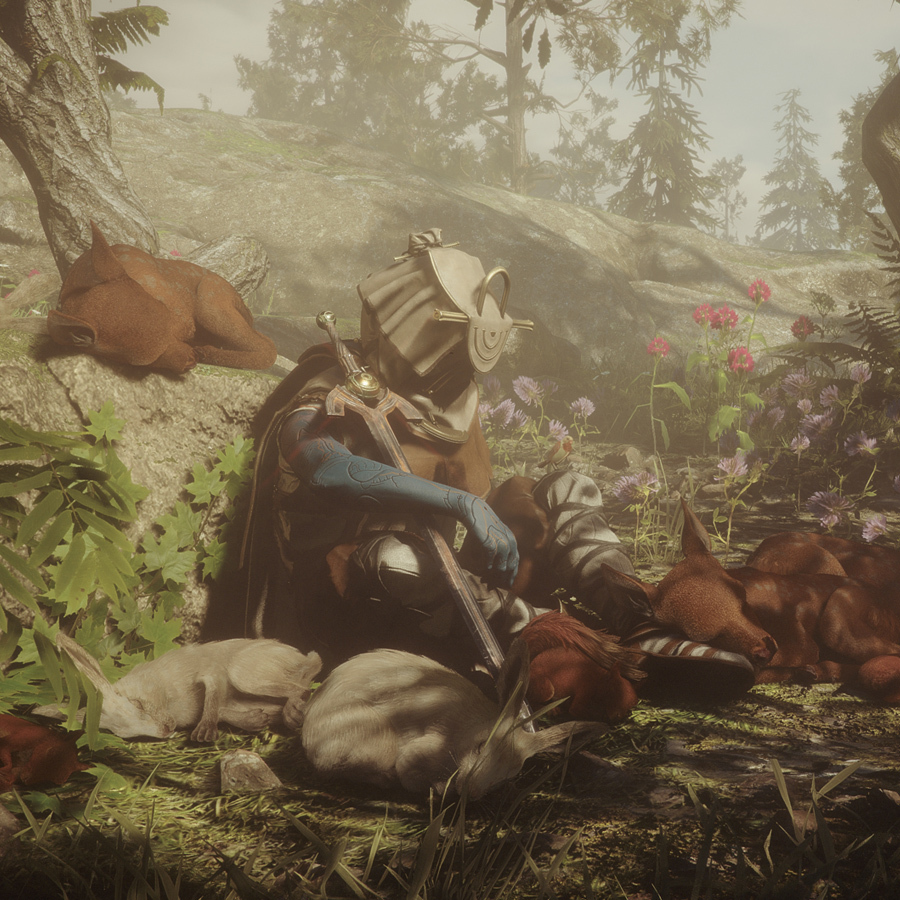
Welcome to Soulframe
Welcome to Soulframe, the free-to-play action RPG from Digital Extremes! This beginner’s guide will help you get started with the basics and set you on the path to becoming a skilled player.
Official Soulframe Gameplay Overview
What is Soulframe?
Soulframe is a free-to-play action RPG that combines:
- Fast-Paced Combat - Real-time action gameplay
- Faction System - Choose your playstyle and abilities
- Healing Mechanics - Support your team or yourself
- Rich Story - Immersive world inspired by Princess Mononoke
- Multiplayer - Play solo or with friends
System Requirements
Minimum Requirements
- OS: Windows 10 64-bit
- Processor: Intel Core i5 or equivalent
- RAM: 8 GB
- Graphics: NVIDIA GTX 960 or equivalent
- Storage: 50 GB available space
- Internet: Stable connection required
Recommended Requirements
- OS: Windows 10/11 64-bit
- Processor: Intel Core i7 or equivalent
- RAM: 16 GB
- Graphics: NVIDIA RTX 2070 or equivalent
- Storage: 50 GB SSD space
- Internet: High-speed connection recommended
Getting Started
Installation
- Create Account - Sign up on the official Soulframe website
- Download Launcher - Download the game launcher
- Install Game - Run the installer and select installation location
- Launch Game - Start the launcher and click Play
- Create Character - Follow the character creation process
Character Creation
When creating your character:
- Choose Faction - Select your starting faction
- Customize Appearance - Personalize your character’s look
- Select Name - Choose your character name
- Confirm - Review and create your character
Basic Controls
Movement
- W/A/S/D - Move forward/left/backward/right
- Space - Jump
- Shift - Sprint (hold)
- Ctrl - Crouch
Combat
- Left Mouse - Primary attack
- Right Mouse - Secondary attack
- Q/E/R/F - Ability hotkeys
- Tab - Lock/unlock target
Interface
- I - Open inventory
- C - Open character sheet
- M - Open map
- Esc - Open menu
User Interface Overview
HUD Elements
Health Bar
- Shows your current health
- Red bar indicates damage
- Depletes when taking damage
Ability Hotbar
- Shows your equipped abilities
- Numbers indicate hotkey bindings
- Cooldowns display on abilities
Minimap
- Shows nearby area
- Displays enemies and allies
- Indicates objectives
Objective Tracker
- Shows current quest objectives
- Displays progress
- Indicates next steps
Your First Mission
Starting the Game
- Watch Intro - Experience the opening cinematic
- Tutorial Area - Complete the tutorial zone
- Learn Controls - Practice movement and combat
- First Quest - Accept your first mission
- Explore - Begin exploring the world
Tutorial Objectives
The tutorial teaches you:
- Basic movement and controls
- Combat mechanics
- Ability usage
- Healing basics
- Faction abilities
Faction Basics
What Are Factions?
Factions are character classes that define:
- Your abilities and powers
- Your playstyle and role
- Your progression path
- Your combat approach
Choosing Your Faction
Consider:
- Damage Dealers - Deal high damage, eliminate threats
- Healers - Support allies, keep team alive
- Tanks - Absorb damage, protect team
- Balanced - Mix of offense and defense
Faction Abilities
Each faction has:
- Unique Abilities - Powers exclusive to that faction
- Passive Bonuses - Always-active stat improvements
- Ultimate Ability - Powerful faction-specific power
- Progression Tree - Unlock abilities through leveling
Combat Basics
How Combat Works
- Target Enemy - Click or aim at an enemy
- Use Abilities - Press hotkeys to use abilities
- Manage Resources - Monitor mana/energy
- Avoid Damage - Move to avoid enemy attacks
- Defeat Enemy - Reduce enemy health to zero
Combat Tips
- Learn Patterns - Observe enemy attack patterns
- Use Positioning - Stay at optimal range
- Manage Resources - Don’t waste mana/energy
- Use Abilities - Combine abilities for synergy
- Avoid Damage - Movement is key to survival
Healing in Combat
- Self-Healing - Use healing abilities on yourself
- Health Potions - Use consumables for emergency healing
- Positioning - Stay safe while healing
- Timing - Heal before critical damage
Inventory and Equipment
Inventory System
Your inventory holds:
- Weapons - Equip for combat
- Armor - Equip for defense
- Consumables - Use for healing/buffs
- Quest Items - Required for quests
- Crafting Materials - Used for crafting
Equipment Slots
- Head - Helmet or headgear
- Chest - Chest armor
- Hands - Gloves or gauntlets
- Legs - Leg armor
- Feet - Boots or footwear
- Weapon - Primary weapon
- Off-Hand - Secondary weapon or shield
Rarity Levels
Equipment has rarity levels:
- Common - Basic equipment
- Uncommon - Slightly better stats
- Rare - Good stats and bonuses
- Epic - Excellent stats and effects
- Legendary - Best-in-slot equipment
Leveling and Progression
Experience and Leveling
- Gain Experience - Complete quests, defeat enemies
- Level Up - Reach experience thresholds
- Unlock Abilities - New abilities unlock at levels
- Improve Stats - Stats increase with levels
Stat Progression
As you level, your stats improve:
- Health - Increases survivability
- Damage - Increases offensive power
- Defense - Reduces damage taken
- Speed - Increases movement speed
Ability Unlocks
Abilities unlock at specific levels:
- Level 1 - Starting ability
- Level 5 - First new ability
- Level 10 - Second new ability
- Level 15+ - Advanced abilities
Quests and Objectives
Quest Types
Main Quests
- Progress the story
- Unlock new areas
- Provide experience
- Essential for progression
Side Quests
- Optional content
- Provide rewards
- Offer experience
- Explore the world
Daily Quests
- Reset daily
- Provide rewards
- Encourage daily play
- Build routine
Completing Quests
- Accept Quest - Talk to NPC and accept
- Read Objective - Understand what to do
- Complete Objective - Finish the required task
- Return to NPC - Talk to quest giver
- Claim Reward - Receive experience and items
Tips for New Players
Essential Tips
- Don’t Rush - Take time to learn mechanics
- Read Tooltips - Understand ability descriptions
- Experiment - Try different abilities and playstyles
- Join Community - Connect with other players
- Ask for Help - Don’t hesitate to ask questions
- Practice Combat - Improve your skills
- Manage Resources - Don’t waste mana/energy
- Explore - Discover the world
Common Beginner Mistakes
- Ignoring Abilities - Use all your abilities
- Poor Positioning - Stay at optimal range
- Wasting Resources - Manage mana/energy
- Neglecting Defense - Don’t ignore survivability
- Rushing Content - Take time to learn
- Ignoring Gear - Equip appropriate equipment
Frequently Asked Questions
Q: Is Soulframe free-to-play? A: Yes, Soulframe is completely free-to-play with no pay-to-win mechanics.
Q: Can I play solo? A: Yes, you can play solo or with friends in multiplayer.
Q: How do I change my faction? A: You can create new characters with different factions or respec your current character.
Q: What’s the best faction for beginners? A: Balanced factions are best for beginners as they offer flexibility.
Q: How do I get better gear? A: Complete quests, defeat enemies, and craft equipment.
Q: Can I trade with other players? A: Trading mechanics depend on the game’s economy system.
Q: How do I join a guild? A: Look for guild recruitment in the community or ask other players.
Q: What’s the level cap? A: The level cap depends on the current game version.
Next Steps
After Completing Tutorial
- Complete Main Quests - Progress through the story
- Explore the World - Discover new areas
- Improve Your Gear - Equip better equipment
- Master Your Faction - Learn all your abilities
- Join Community - Connect with other players
- Tackle Harder Content - Challenge yourself
Resources
- Official Website - https://www.ancestralarmour.com/en
- Community Discord - Join the official Discord
- Forums - Discuss with other players
- Wiki - Find detailed information
Conclusion
Congratulations on starting your Soulframe journey! This guide covers the basics to get you started. As you progress, you’ll discover more complex mechanics and strategies. Remember to take your time, experiment with different playstyles, and most importantly, have fun!
Welcome to Soulframe, and good luck on your adventure!