Introduction
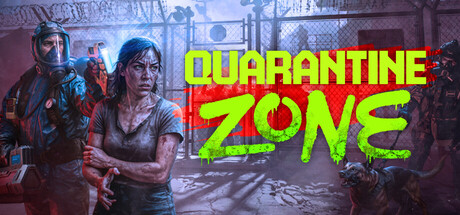
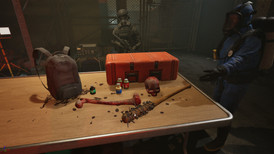
The Quarantine Zone: The Last Check Demo is your opportunity to experience the game before its November 2025 release. The demo provides approximately 60-90 minutes of gameplay, covering the first week at the checkpoint.
This walkthrough will guide you through every day, every major decision, and all hidden content to help you master the demo and prepare for the full game.
Demo Overview
What’s Included in the Demo
Playable Content:
- Days 1-7 of checkpoint operations
- Full tutorial system
- First zombie horde attack (Day 5)
- Basic upgrade system
- Core infection detection mechanics
What’s NOT in the Demo:
- Days 8+ content
- Advanced upgrades (locked)
- Full story progression
- Multiple horde attacks
- Some special zombie types
- Character backstory depth
Demo vs Full Game
| Feature | Demo | Full Game |
|---|---|---|
| Days Playable | 7 | 30-50+ |
| Horde Attacks | 1 | 10-15 |
| Upgrades Available | 4 | 15+ |
| Story Content | 20% | 100% |
| Endings | 1 | Multiple |
Pre-Game Preparation
Before You Start
Download Requirements:
- Steam account (free)
- 3GB storage space
- Windows/Mac compatible system
- Mouse + keyboard recommended (controller supported)
Recommended Settings:
- Difficulty: Normal (for first playthrough)
- Audio: Headphones for immersion
- Graphics: Medium-High based on PC
- Tutorials: Enabled for first run
Day 1: Tutorial & First Survivors
Morning: Tutorial Phase
What Happens:
- Opening cutscene introduces setup
- Your character arrives at checkpoint
- Commander briefs you on mission
- Basic controls tutorial
Controls To Master:
- Mouse: Aim and interact
- Left Click: Select/Activate tools
- Right Click: Cancel/Deselect
- Q/E: Switch tools
- Tab: Open tablet
- Space: Confirm decision
First Survivor Encounter
Tutorial Survivor (Cannot Fail):
- Name: Marcus
- Status: Healthy
- Purpose: Teach basic screening
Steps:
- Listen to his story
- Use UV light (press Q)
- Take temperature (press E)
- Decision: Pass him through ✅
Learning Points:
- How to use tools
- How decision buttons work
- Basic interface navigation
First 10 Survivors (Day 1)
Expected Mix:
- 7-8 healthy survivors (pass)
- 1-2 with minor injuries (quarantine)
- 0-1 clearly infected (eliminate)
Tips for Day 1:
- Take your time - no speed pressure
- Practice tool usage
- Get comfortable with interface
- Read all tutorial pop-ups
Day 1 Goals:
- ☐ Complete tutorial
- ☐ Screen 10+ survivors
- ☐ Use all three tools correctly
- ☐ Make first quarantine decision
- ☐ Earn $80-120
Day 2: Increased Traffic
Morning Briefing
Commander Update:
- Horde activity increasing
- More survivors expected
- Resource order system unlocked
- First upgrade available
Unlocked Features
Tablet Functions:
- Resource ordering
- Upgrade menu (preview only)
- Statistics tracking
- Daily objectives
New Survivor Types
Expect These Patterns:
- Refugees: Families fleeing infected zones
- Traders: Bringing supplies
- Injured: Combat wounds (not infected)
- Suspicious: Nervous, hiding things
Key Decisions Day 2
Decision Point #1: The Injured Trader
- Has supplies you need
- Also has suspicious wound
- Temperature: 37.8°C (slightly elevated)
- UV: Clean scan
Correct Choice: Quarantine ⚠️
- Wound needs observation
- Not clearly infected yet
- Supplies not worth risk
Decision Point #2: The Family
- Mother, father, child (8 years old)
- All appear healthy
- Child coughing slightly
- UV: All clean, Temp: All normal
Correct Choice: Pass family ✅
- Cough is regular cold
- No infection signs
- Separating family causes problems
Day 2 Goals:
- ☐ Screen 15-20 survivors
- ☐ Use quarantine correctly
- ☐ Order first resources (food)
- ☐ Save $150 for upgrades
- ☐ Earn $120-180
Day 3: Resource Management
Morning: First Resource Order
What to Buy:
- Food: 250 units ($110)
- Fuel: 100 units ($130)
- Save remaining money
Why This Order:
- Food prevents riots
- Fuel keeps power on
- Medical supplies still sufficient
Increased Difficulty
New Challenges:
- More survivors (20-25)
- Faster processing expected
- First hidden infection case
- Budget pressure
Critical Encounter: Hidden Infection
The Deceptive Survivor:
- Name: Sarah
- Story: Escaped infected zone
- Appearance: Clean, well-dressed
- Temperature: 38.2°C
- UV Light: Small mark on left forearm 🚨
Correct Choice: Eliminate ❌
- UV confirms infection
- Elevated temperature
- Early stage but confirmed
Why It’s Tricky:
- Looks healthy
- Friendly demeanor
- Tries to hide arm
- Temperature not critical yet
Consequences:
- If you pass her: Safe zone infection starts
- If you quarantine: She turns in 24 hours, infects others
- If you eliminate: Correct decision
Other Day 3 Encounters
The Sick Child:
- Fever: 38.5°C
- Coughing and pale
- UV: Clean
- Parents pleading
Correct: Quarantine ⚠️ (Non-infected illness)
The Nervous Man:
- Sweating, anxious
- Temperature: Normal
- UV: Clean
- Story: Consistent
Correct: Pass ✅ (Just scared)
Day 3 Goals:
- ☐ Successfully catch hidden infection
- ☐ Order resources correctly
- ☐ Process 20-25 survivors
- ☐ Maintain budget above $150
- ☐ Earn $180-240
Day 4: Upgrade Decision
Morning: Upgrade Available
First Upgrade Choice: You can afford ONE upgrade:
Option A: Mini-Gun Damage +25% ($150)
- Best choice for demo
- Critical for Day 5 horde
- Combat advantage
Option B: UV Light Range +30% ($180)
- Better detection
- But you already know how to use it
- Less critical than combat
Option C: Food Storage +200 units ($100)
- Saves money long-term
- Not immediately useful
- Skip for now
Recommended: Mini-Gun Damage ✅
Preparing for Horde
Commander Warning:
- “Horde detected approaching”
- “Attack expected within 24-48 hours”
- “Ensure weapons operational”
- “Stock extra fuel”
What This Means:
- Day 5 = First combat
- Need upgraded mini-gun
- Should have fuel backup
- Medical supplies for aftermath
Day 4 Screening
Standard Day:
- 25-30 survivors
- Mix of all types
- No critical decisions
- Focus on speed
Quick Processing Tips:
- UV check everyone (5 seconds)
- Temperature everyone (3 seconds)
- Scanner only if suspicious
- Trust your instinct
Day 4 Goals:
- ☐ Purchase mini-gun upgrade
- ☐ Order extra fuel (100 units)
- ☐ Process 25-30 survivors
- ☐ Prepare mentally for combat
- ☐ Earn $200-280
Day 5: First Horde Attack
Morning: Calm Before Storm
Normal Operations:
- Screen 10-15 survivors
- Quieter than usual
- Ominous music starts
- Commander on edge
Midday: Horde Alert
Warning System Activates:
- Sirens blare
- Survivors flee to safe zone
- Checkpoint locks down
- You’re moved to drone control
Horde Defense (2-3 Minutes)
Wave Composition:
- 30-40 standard zombies
- No special types (demo simplicity)
- Spawn from north and east
- Gradual intensity increase
Defense Strategy:
Phase 1 (0-60 seconds):
- Use mini-gun exclusively
- Zombies at distance
- Thin the horde
- Conserve rockets
Phase 2 (60-120 seconds):
- Mix mini-gun and rockets
- Zombies reaching midfield
- Use rockets on clusters
- Maintain pressure
Phase 3 (120-180 seconds):
- Maximum intensity
- Zombies at gate
- Use remaining rockets
- Mini-gun everything
Combat Tips:
- Aim slightly ahead of moving zombies
- Reload during lulls
- Keep zombies away from gate
- Stay calm and focused
Success Conditions:
- Gate health above 0%
- All zombies eliminated
- You survive
Failure:
- Gate breached = Game Over
- Restart from morning Day 5
Post-Defense
Aftermath:
- Gate damaged but holding
- Supplies consumed
- Exhausted but victorious
- Commander congratulates you
Rewards:
- $150 bonus
- Unlock progress
- Confidence boost
Day 5 Goals:
- ☐ Survive horde attack ✅
- ☐ Keep gate above 50% health
- ☐ Use weapons effectively
- ☐ Earn combat bonus
Day 6: Recovery
Morning: Assessment
Status Check:
- Gate repairs automatic
- Resources consumed during attack
- Budget from combat bonus
- Survivor morale high
New Orders Needed
Recommended Purchases:
- Food: 250 units (getting low)
- Medical: 50 units (used during aftermath)
- Save rest for Day 7
Lighter Traffic
Easier Day:
- 15-20 survivors only
- Mostly healthy
- Few complications
- Recovery phase
Optional: Second Upgrade
If You Have $200+: Consider second upgrade:
- Fuel efficiency (saves long-term)
- Or save for full game
If Under $200: Focus on resources and savings
Day 6 Goals:
- ☐ Restock resources
- ☐ Process 15-20 survivors
- ☐ Maintain budget
- ☐ Prepare for finale
Day 7: Demo Finale
Morning: Final Day
Commander’s Message:
- “Demo ends tonight”
- “Thank you for service”
- “Full game coming November”
- “Your progress saved”
Last Survivor Session
Routine Day:
- 20-25 survivors
- Standard mix
- No major surprises
- Victory lap feeling
Demo Ending Cutscene
What Happens:
- Fade to black after last survivor
- Montage of your week
- Statistics shown:
- Total survivors processed
- Infections caught
- Resources managed
- Combat performance
- “To be continued…” message
End Credits
Demo Complete Screen:
- Your final stats
- Comparison to other players
- Wishlist prompt for full game
- Achievement showcase
Post-Demo:
- Can replay from Day 1
- Try different choices
- Practice for full game
- Share experience
Hidden Content & Secrets
Easter Eggs
#1: The Developer Note
- Location: Tablet files menu
- Easter egg: Hidden message from devs
- How to find: Click logo 5 times
#2: Alternate Dialogue
- Screen same survivor twice (rare)
- Different conversation
- Unique story details
#3: Perfect Week
- Catch all infections
- Zero false positives
- Special ending text
Achievements (Unofficial)
While not tracked in demo, try for:
- ✨ Perfect Screening (100% accuracy)
- ✨ Speed Demon (30+ survivors Day 4)
- ✨ Gate Guardian (Gate above 90% post-horde)
- ✨ Budget Master (End with $500+)
- ✨ Survivor (Complete demo on Hard)
Demo vs Full Game Strategy
What Transfers
Skills That Carry Over:
- Tool usage mastery
- Infection detection
- Combat tactics
- Resource management
- Decision making
What Changes in Full Game:
- More complex story
- Tougher enemies
- Additional mechanics
- Longer campaign
- Multiple endings
Preparing for Full Release
Practice in Demo:
- Replay multiple times
- Try different upgrade paths
- Perfect your combat
- Master all tools
- Experiment with decisions
Study These Guides:
- Infection Detection (critical)
- Base Management (will matter more)
- Defense Strategies (much harder later)
Troubleshooting
Common Demo Issues
Problem: Can’t detect infections
- Solution: Always use UV light, every survivor
Problem: Failed horde attack
- Solution: Replay Day 4, buy mini-gun upgrade
Problem: Ran out of resources
- Solution: Order earlier (Day 2-3)
Problem: Low budget
- Solution: Screen more survivors daily
Final Tips for Demo Success
For First Playthrough:
- ✅ Follow tutorial carefully
- ✅ Use all tools on everyone
- ✅ Save money for upgrades
- ✅ Order resources early
- ✅ Stay calm in combat
For Speedrun/Perfect Run:
- ⚡ Skip dialogue (ESC)
- ⚡ Fast but accurate screening
- ⚡ Optimize resource orders
- ⚡ Upgrade immediately Day 4
- ⚡ Perfect combat execution
For Maximum Fun:
- 🎮 Read all dialogue
- 🎮 Immerse in atmosphere
- 🎮 Try different choices
- 🎮 Challenge yourself
- 🎮 Enjoy the experience
After Demo: Next Steps
Full Game Pre-Order
Why Pre-Order:
- Early access (potential)
- Pre-order bonuses
- Support developers
- Guaranteed Day 1
Community
Join These:
- Official Discord
- Steam forums
- Reddit discussions
- YouTube guides
Stay Updated
Follow:
- Developer Twitter
- Steam page updates
- Gaming news sites
- This guide (will update)
Conclusion
The Quarantine Zone demo is an excellent introduction to the full game. Take your time, learn the mechanics, and most importantly - have fun making life-or-death decisions at humanity’s last checkpoint.
Your demo week summary:
- Day 1: Learn basics
- Day 2: Master screening
- Day 3: Catch hidden infections
- Day 4: Upgrade weapons
- Day 5: Survive horde
- Day 6: Recovery
- Day 7: Complete demo
See you in the full game this November! 🎖️
Related Guides:
- 📖 Beginner’s Guide - Full game prep
- 📖 Infection Detection - Master screening
- 📖 Defense Strategies - Combat mastery
This demo walkthrough is based on the current demo version. Content may change in updates or full release.
Related Guides
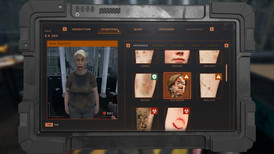
Quarantine Zone Beginner Guide - Essential Tips
Complete beginner's guide for Quarantine Zone. Learn checkpoint operations, survivor screening, infection detection, and base defense.
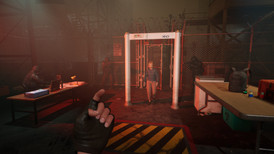
Quarantine Zone Infection Detection - Spot Infected
Master infection detection in Quarantine Zone. Learn UV lights, thermometers, scanners. Identify symptoms and make accurate decisions.